Complete Unit Testing In Sitecore

Unit testing is Sitecore can be tricky. There are a lots of moving parts. And to truly be able to test, you need to somehow bring all of those parts into a test.

Unit testing could be divided into two different type: regular Unit Tests (just to test BusinessLogic without data relations) and Integration Unit Tests.

In the current article I will focus on Integration Unit Tests. In the futher articles I will describe how to write UnitTests without strong coherence with Sitecore.

So, to accomplish the main goal and have working UnitTests I will try to do the following:

  • Execute unit tests within a valid Sitecore context
  • Load all current App_Config/Include/ configs at runtime
  • Access to all APIs
  • Maintain to additional config files
  • No scripting involved

According to our goals let’s find a way of how to reach it. It’s mostly screenshots and code samples anyways.
Continue reading “Complete Unit Testing In Sitecore”

Sitecore Content and Page Editor: Injecting of resources

Image, that there is a need to add some external script inside Content Editor or/and PageEditor. What do you do? Might be you would start with developing of a custom field type that requires Google Maps API. Maybe many of your renderings use an external library or a client side helper of your own when in IsPageEditorEditing(). Whatever the case might be you may want to inject resources into your Content and Page Editor environments and do it once globally. And in a declarative way. This blog post will explain you the exact way of how to do it.

Continue reading “Sitecore Content and Page Editor: Injecting of resources”

Extending Computed Fields in Sitecore By Adding Parameters

Computed Fields In Sitecore

The purpose of computed fields is to create pre-calculated values when working with indexes. Such approach allows to proceed with the search though distributed data or even when some data is outside the Sitecore (data from the external services could be taken into the Sitecore search engine).

There are many interesting use-cases of how to use computed indexes. I’m going to share some tips to help people get the most of them.

Continue reading “Extending Computed Fields in Sitecore By Adding Parameters”

Sitecore: 404 without 302.

Sitecore: 404 without 302.

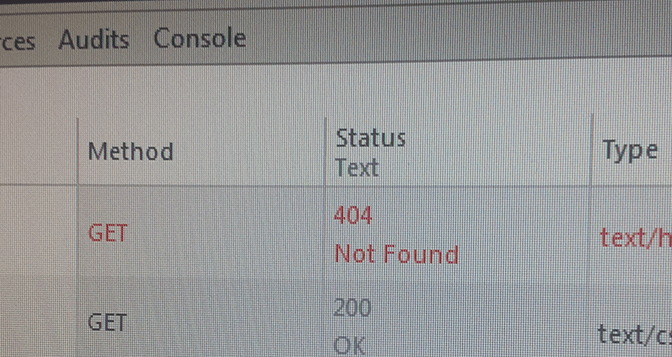
This post shows how to handle a request for a page which is not found, how to avoid having the request being redirected with a 302 status code before a 404.

How Sitecore handle NotFoundItem

Sitecore lets you specify a page to use for ‘ItemNotFound’ errors in web.config, and it’s always good practice to have a pretty ‘page not found’ page:

<setting name="ItemNotFoundUrl" value="/404" />

When Sitecore can’t find the requested item, it will redirect the user to the page that is configured in the setting ItemNotFoundUrl.

However, during the redirecting the response returns an HTTP status code 302 (Moved Temporarily). This is sad, as search engines don’t understand that the page actually hasn’t been found.

For search engine optimization, you should return the HTTP 404 status code for any invalid URL by setting the Status property of the current System.Web.HttpResponse

Continue reading “Sitecore: 404 without 302.”