Sitecore, by default, provides varies options like Vary by Data, Vary by Query String to enable HTML cache (more information about Sitecore caching could be found here). Sometimes none of these options (based on component built type) help the component to get cached by Sitecore cache.
In this article I will describe how to introduce custom VaryByCache option. It’s pretty simple.
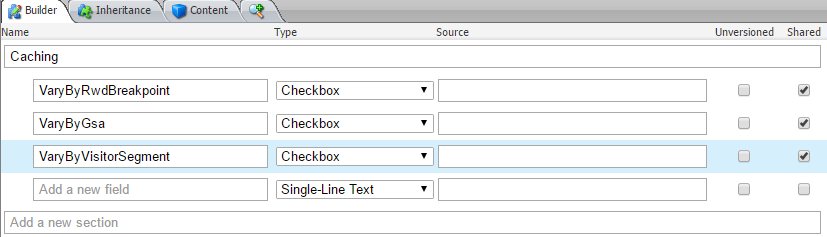
First of all, let’s create a new template where all custom VaryByCache options will be presented.
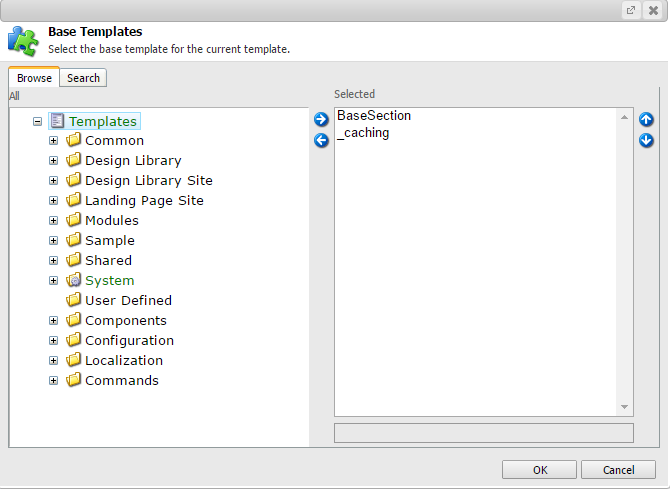
Secondly, there is a need to use newly created template as a base template. The original Sitecore template with the caching options located by the /sitecore/templates/System/Layout/Sections/Caching path.
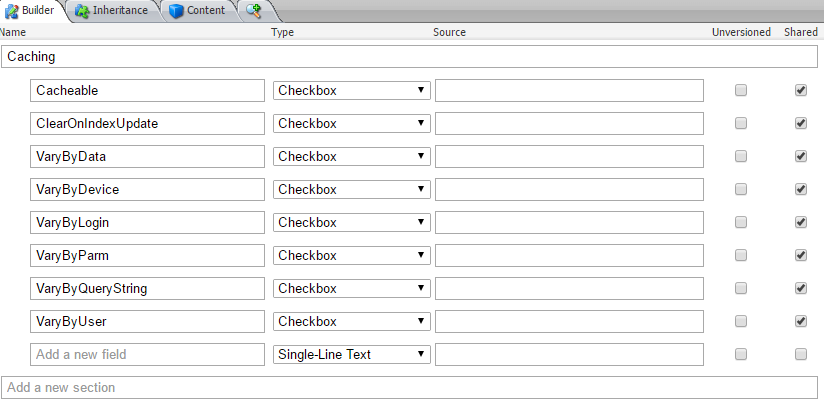
After we have introduced custom caching template we can think about the processing of newly created VaryByCache options. For this purpose let’s create a class.
using Sitecore.Mvc.Extensions;
using Sitecore.Mvc.Pipelines.Response.RenderRendering;
using Sitecore.Mvc.Presentation;
namespace AndreyVinda.Common.Sitecore
{
/// <summary>
/// Sitecore HTML Cache key generator for custom HTML cache VaryBy Attributes
/// </summary>
public class CustomGenerateCacheKey : GenerateCacheKey
{
private readonly IUserProvider _userProvider;
private readonly IDeviceDetectionHelper _deviceDetectionHelper;
public CustomGenerateCacheKey()
{
_userProvider = CastleContext.Resolve&amp;lt;IUserProvider&amp;gt;();
_deviceDetectionHelper = CastleContext.Resolve&amp;lt;IDeviceDetectionHelper&amp;gt;();
}
protected override string GenerateKey(Rendering rendering, RenderRenderingArgs args)
{
var varyByVisitorSegment = rendering.RenderingItem.InnerItem["VaryByVisitorSegment"].ToBool();
var key = base.GenerateKey(rendering, args);
if (varyByVisitorSegment)
{
var userProfile = _userProvider.CurrentUserProfile;
if (userProfile != null)
{
key += "_#visitorSegment:" + _userProvider.CurrentUserProfile.VisitorSegment;
}
}
//is required GSA specific caching
var varyByGsa = rendering.RenderingItem.InnerItem["VaryByGsa"].ToBool();
if (varyByGsa)
{
key += "_#isGsa:" + (_deviceDetectionHelper.IsGsa ? "1" : "0");
}
// RWD breakpoint caching, 1 breakpoint marked as fixed layout breakpoint in RWD config is used also in fixed layout
var varyByRwdBreakpoint = rendering.RenderingItem.InnerItem["VaryByRwdBreakpoint"].ToBool();
if( varyByRwdBreakpoint ) key += "_#rwdBreakpoint:" + _deviceDetectionHelper.CurrentSizeBreakpoint.Name;
return key;
}
}
}
The main purpose of this class is to check whether current rendering item has custom VaryByCache options. If it is so, the new values will be added into a returned cache key string.
The last one action is left. We should use newly created class for constructing CacheKey instead of regular one. The following example shows how to do it
<configuration xmlns:patch="http://www.sitecore.net/xmlconfig/">
   <sitecore>
      <pipelines>
         <mvc.renderRendering>
            <processor type="AndreyVinda.Common.Sitecore.CustomGenerateCacheKey, AndreyVinda.Website"
             patch:instead="processor[@type='Sitecore.Mvc.Pipelines.Response.RenderRendering.GenerateCacheKey, Sitecore.Mvc']"/>
         </mvc.renderRendering>
      </pipelines>
   </sitecore>
</configuration>
Enjoy it!
 Andrey Vinda